
Website speed is usually treated as a technical metric. A developer shows a score, marketing nods and nobody knows what to do with it.
Yet it is one of the few things on a website that can be converted directly into money. Every extra second means people who leave before they see what you offer.
This article explains what speed really affects, which three metrics to track and what to do about it if you are not a developer.
What speed affects
People mostly talk about search rankings, and paradoxically that is the smallest part. Google does assess speed, but its weight is lower than commonly believed.
Most of the loss is elsewhere, with people who have already reached the website but gave up waiting.

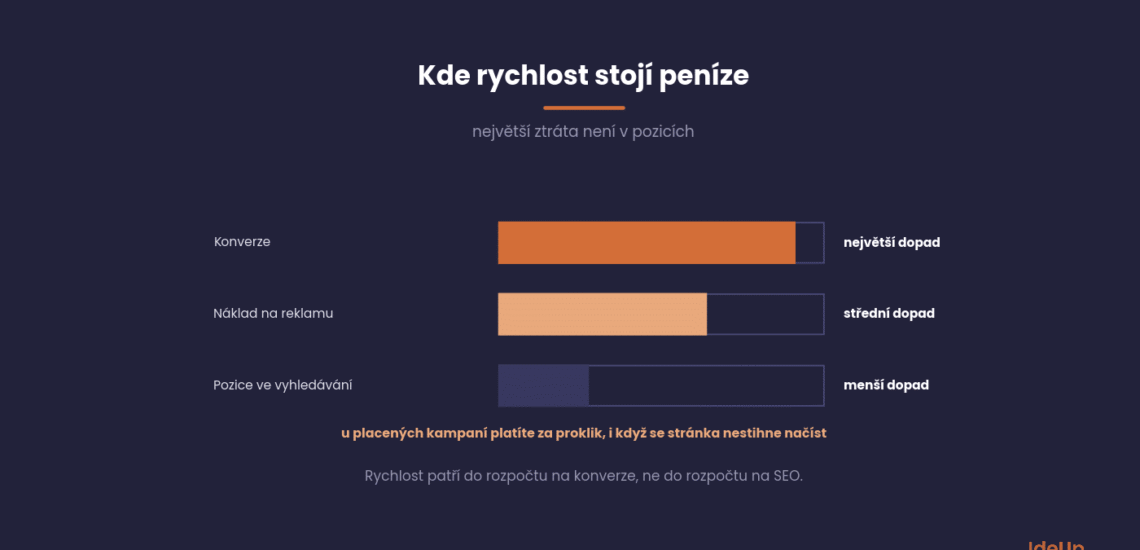
Conversions. The most significant impact. A slow website loses people between the click and the page load, at the point when the cost of acquiring them has already been spent.
Advertising costs. In paid campaigns you pay for each click whether or not the page managed to load. A slow page therefore makes every order more expensive.
Search rankings. A real but smaller effect. The difference between a fast website and an average one is usually not decisive, but between an average one and a very slow one it is.
In practice, this means speed belongs in the conversion budget, not the SEO budget. That is also how it should be evaluated.
Three metrics that count
Google measures speed with a set of indicators called Core Web Vitals. There are three, and each describes a different part of the page experience.
What matters is that they are measured on real visits, not in a lab.
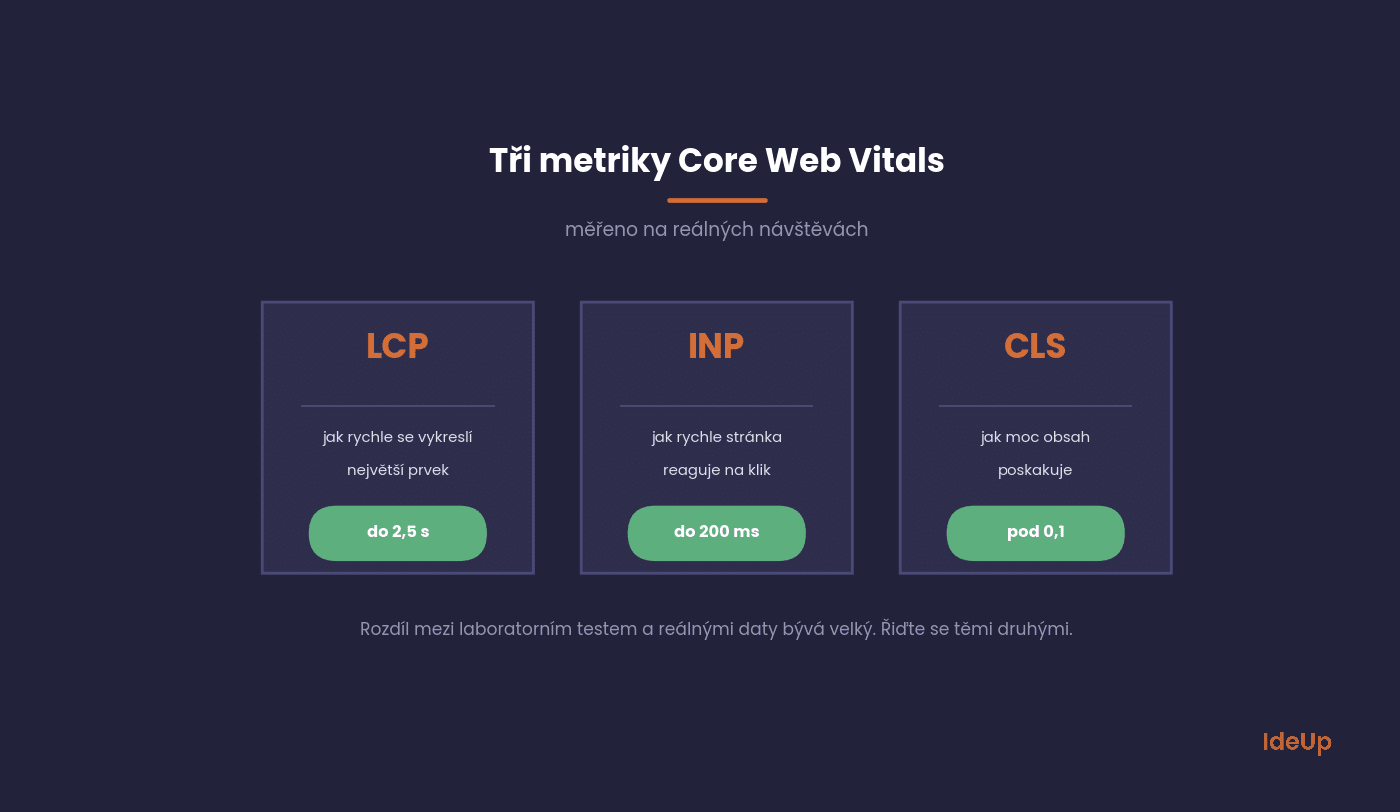
LCP measures how long it takes to render the largest element on the screen, usually the main image or heading. The target is under two and a half seconds.
INP measures how quickly the page responds to a click or tap. The target is under two hundred milliseconds.
CLS measures how much the content jumps around while loading. The target is below one tenth.
The difference between a lab test and real data is often large. The test runs on a fast connection and a powerful machine, which your visitors often do not have.
Why speed affects people’s behaviour is explored by the team behind web.dev in their article on why speed matters. The key idea is that slowness does not just drive away some visitors, it reduces trust in the whole brand.
What website speed actually means
Website speed is not one number. It describes how quickly a page becomes useful to the person who opened it, and that happens in stages.
- Server response. How long the server takes to send the first part of the page. If this step is slow, everything after it is slow too.
- Load speed. How long it takes for the content to download and appear on the screen. This is what most people mean by website load speed.
- Responsiveness. Whether the page reacts when you tap a button or open a menu, even after it looks finished.
- Stability. Whether text and buttons stay in place while the rest of the page arrives.
Website page speed is measured for each page separately, not for the website as a whole. Your homepage can be fast while a product page with a gallery and reviews is slow. That is why it makes more sense to talk about the speed of specific templates than about one figure for the whole site.
What visitors actually notice is perceived speed. A page that shows its main content quickly feels fast, even if some elements further down are still loading.
Where speed is usually lost
The causes on Czech websites are surprisingly similar. In most cases it comes down to four things, and all of them can be fixed without rebuilding the website.
They are ordered by how often we see them and how much fixing them usually brings.
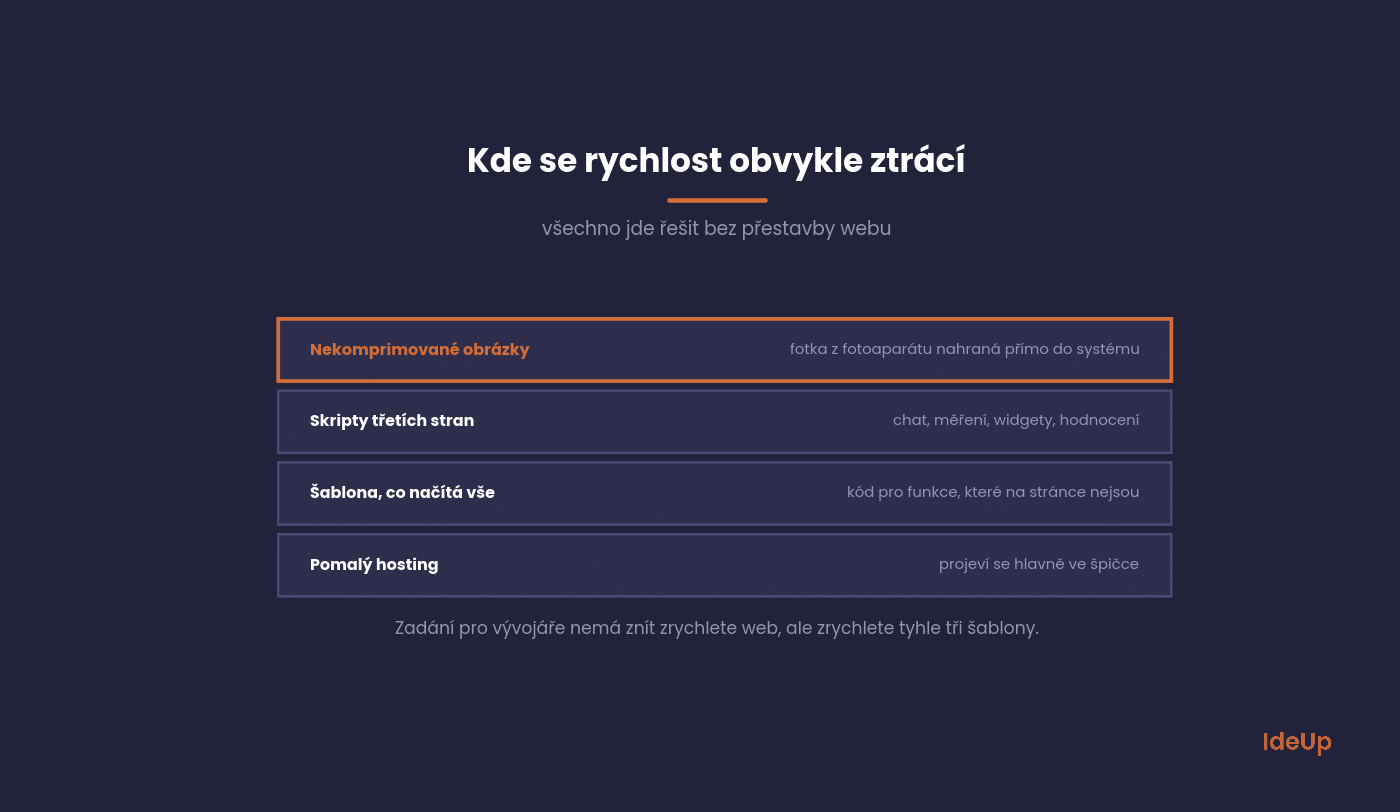
Uncompressed images. The most common cause of all. A photo from a camera uploaded straight into the content management system can be several megabytes.
Third-party scripts. Chat, tracking codes, widgets, reviews. Each one adds requests that you have no control over.
A template that loads everything. Many off-the-shelf templates load code on every page for features that are not there.
Slow hosting. The least common cause, but with shared hosting costing a few CZK a month it shows mainly at peak times.
What to do if you are not a developer
Many improvements do not require a programmer. A marketer with access to the content management system can handle the following steps.
They are ordered by the ratio of effort to results.
Shrink your images. Upload them at a sensible resolution and in a modern format. On WordPress a plugin can handle it, on e-shops it is usually a setting.
Review your scripts. List everything that loads on the website and ask of each item whether anyone uses it. You will usually find two or three unnecessary ones.
Turn on caching. A caching plugin or server setting is a one-off task with an immediate effect.
Find out which templates are the slowest. There is no point tackling the website as a whole. Focus on the homepage, a category and a product or service page.
That last point is the most important. The brief for a developer should not be “speed up the website” but “speed up these three templates, and here is why”.
How to optimise website speed with your developer
Once the simple steps are done, the remaining gains usually need someone who can change the template or the server settings. These are the areas worth putting in the brief.
- Lazy loading. Images further down the page should load only when the visitor scrolls towards them. The main image at the top is the exception, because it should load first.
- Fixed dimensions. Images, videos and banner slots need a reserved size so the layout does not jump while they load.
- Fewer fonts. Load only the font weights you actually use and let text appear in a fallback font while the custom one downloads.
- Unused code. Remove styles and scripts from templates that do not need them.
- Redirect chains. Every redirect adds a delay, and chains where one address points to another and then to a third add several.
- Content delivery network. If your visitors come from several countries, a CDN serves files from a location close to them.
- Server and database. If pages are slow even without images, the problem is likely in the server response or in slow database queries.
Ask for each change to be tested on a staging copy first. Then measure the same templates before and after, so you know which change actually helped.
How to measure it
The tools are free and two are enough. The difference between them is whether they measure in a lab or on real people.
Use both and focus mainly on the second type of data.
PageSpeed Insights shows both at once. At the top is data from real visits over the last twenty-eight days, at the bottom a lab test with recommendations.
Search Console has its own Core Web Vitals section that shows the whole website at once and groups URLs by template. That is where you can see which types of pages are the problem.
How to find your way around Search Console is described in our article on Search Console. The speed section is one of seven worth monitoring.
How much to invest
Speed has diminishing returns. Going from a very slow website to an average one is cheap and brings a lot, going from good to excellent is expensive and brings little.
A sensible goal for most companies is to get into the green zone on mobile for their most visited templates.
Chasing a score of 100 in every test makes no economic sense. The last points cost far more than the first ones and do not show up in revenue.
A practical test of whether further investment in speed is worthwhile is to compare the conversion rate on mobile and on desktop. If the difference is large, there is room for improvement.
What to avoid
We see the following practices often, and they either do not work or actually cause harm.
Avoiding them saves time and money.
Optimising for the score. The number in the test is not the goal. The goal is for people to buy.
Aggressive caching without testing. On an e-shop it can break the basket or display outdated prices.
Deferring scripts blindly. Deferring the tracking code means you lose data.
Tackling the website as a whole. Improving a page that nobody visits leads nowhere.
How to keep your website fast over time
Speed usually gets worse gradually. A new chat tool, a campaign tag, a larger banner on the homepage. None of them is a problem on its own, but together they undo the work you have done.
- Check your key templates once a month and note the figures from real visits.
- Agree that every new script or plugin needs an owner and a reason to be there.
- Set a maximum file size for images that your content team uploads.
- Remove campaign tools and tracking codes once the campaign ends.
- Measure again after every redesign, platform update or new template.
Visitors on phones and slower connections feel the decline first. If you see their conversion rate drop while nothing else has changed, check speed before you start changing offers or design.
Common questions about speed
The five questions we get most often from website owners and marketers.
The answers apply in general, but details vary by platform.
Will speed improve my rankings?
A little, yes, but less than commonly believed. It only makes a major difference for really slow websites.
Treat it as an investment in conversions. Rankings are a pleasant side effect.
What score is good enough?
More important than the score is whether you are in the green zone for all three Core Web Vitals metrics on mobile.
The PageSpeed Insights score is a weighted average that can be improved even without any real impact on users.
Why do I get a different number every time?
The lab test varies with server load and measurement conditions. That is why you should look at data from real visits, which is more stable.
If the test fluctuates significantly, that in itself is a sign that the website is unstable under load.
Will moving to better hosting help?
Sometimes, but it is usually third in line. First images and scripts, then the template, and only then the server.
The exception is shared hosting costing a few dozen CZK, where the limits show immediately.
How much does it cost?
You can handle the basic adjustments yourself in a few hours. Work on the template usually costs from a few thousand to the low tens of thousands of CZK, depending on the complexity of the website.
Rebuilding a website for speed is only worthwhile if it is needed for other reasons too.
Where to start
Put your most visited page into PageSpeed Insights and look at the top section with real data. Within a minute you will know whether you have a problem.
Then compare the conversion rate on mobile and on desktop in Analytics. If the difference is significant, speed is the most likely cause.
Want a specific brief for your developer instead of a vague “make it faster”? We tackle speed when building websites and as part of search engine optimisation.
Frequently asked questions about website speed
What is website speed?
Website speed describes how quickly a page loads, responds to interaction and settles into a stable layout. It is measured for individual pages rather than for the whole website. What matters most is how fast the main content becomes usable for a real visitor.
How do I speed up my website?
Start by finding which of your most visited templates are slow. Then fix the causes in order of impact, usually images first, then unnecessary scripts and caching. Deeper changes to the template or server are worth doing only after these basics.
How can I increase website loading speed on mobile?
Mobile visitors often have slower connections and weaker devices, so heavy images and scripts hurt them most. Serve smaller images for small screens, load content below the first screen only when needed and limit third-party tools. Always judge the result on data from real mobile visits.
Is website page speed the same as website load speed?
Not quite. Load speed is about how fast content appears, while page speed in a broader sense also covers how quickly the page responds and whether the layout stays stable. A page can load fast and still feel slow if it reacts late to taps.