
Almost every business with an address has a Google Business Profile. Half filled in, with photos from the year someone created it, and opening hours that no longer apply.
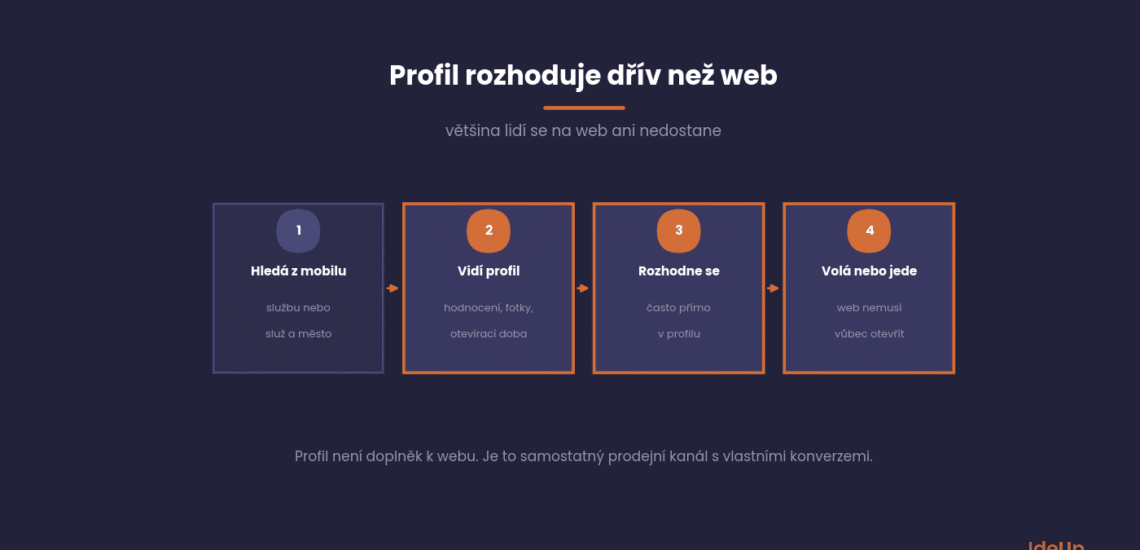
Yet for a local business it is the most visited page it has. Most people make their decision right there and never even reach the website.
This article covers what to add to your profile, how to work with reviews and how to get more out of it than just contact details and a map.
Why your profile matters more than your website
The profile appears in the map pack above the organic results and right next to them in search. It takes up more space than any link.
It also offers everything a person needs to make a decision: ratings, photos, opening hours, phone number and directions.
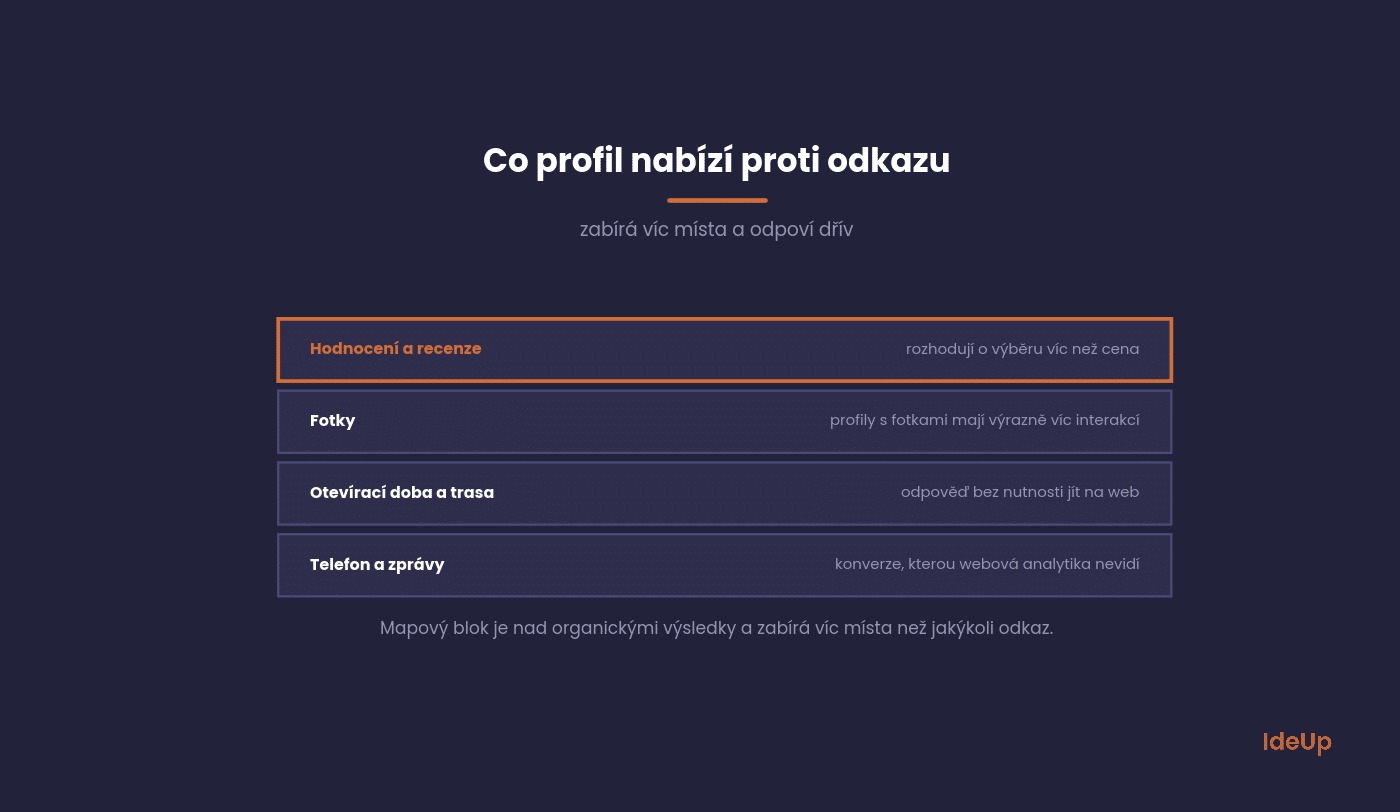
In practice, this means the profile is not an add-on to your website. It is a sales channel in its own right, with its own traffic and its own conversions in the form of calls and direction requests.
How to get into the map pack in the first place is covered in our article on local SEO. This article goes a step further: what to do once you already have a profile.
How to set up a Google Business Profile
If your business does not have a profile yet, or you are not sure who created the existing one, start here. Creating a business profile on Google takes about half an hour. Most of that time goes on checking details, not on typing.
- Use an account the business owns. Sign in with a Google account the company controls, not the personal account of one employee. When that person leaves, access often leaves with them.
- Check for an existing profile first. Many businesses already have one, created by a former employee or generated from public data. If you find one, request access to it rather than creating a duplicate.
- Enter the name you use in real life. Use the name on your sign, invoices and website, and nothing more.
- Choose the primary category. You can change it later, but it shapes everything that follows.
- Decide how customers reach you. Add an address if people come to you. Set a service area if you go to them.
- Add your phone number and website. Use a number that someone actually answers during opening hours.
How to verify your Google Business Profile
Until you verify the profile, most of your edits will not be shown publicly. Google chooses the verification method for each business. It can be a video recording, a phone call or text message, an email or a postcard sent to your address.
With video verification, you usually need to show your signage or vehicle, the premises or tools of your trade, and proof that you manage the business, such as access to a cash register or a key to the door. Record it in one continuous take.
Verification most often fails because the details do not match reality. A name that differs from the sign, a virtual office address or a phone number that nobody answers are typical reasons.
What to add first
Profile completeness is one of the three factors Google weighs for local results. Filling it in takes an afternoon and shows results within weeks.
Six items have the biggest effect.
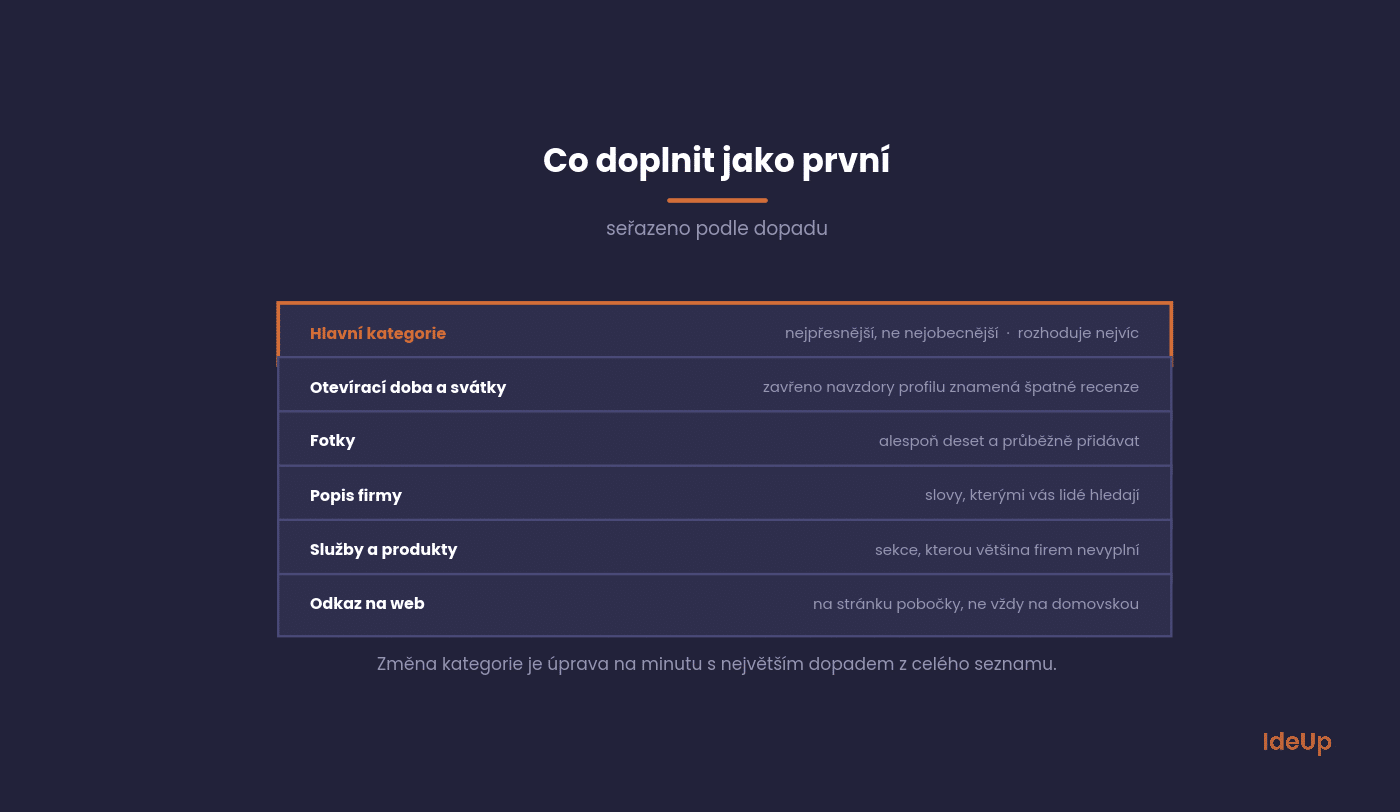
Primary category. The most important field in the whole profile. Choose the most precise one, not the most general, and add secondary categories for services you actually provide.
Opening hours, including public holidays. Google sends separate reminders about holidays, and a business with closed doors despite what its profile says gets negative reviews.
Photos. At least ten, and keep adding more. Interior, exterior, people, products. Profiles with photos get significantly more interactions.
Business description. A short text about what you do and for whom. Use the words people use to search for you.
Services or products. A separate section most businesses leave empty. It helps match your profile to specific searches.
Website link. Ideally to the page for that specific location, not always to the homepage.
Choosing Google Business Profile categories
Categories describe what your business is, not what it sells. A bakery that also serves coffee is a bakery with a secondary café category, not a store. A dental practice that offers whitening is a dentist first, with a cosmetic category only if it really provides that service.
A practical way to choose is to look at the businesses that appear above you in the map for your main service. Their categories are visible in their profiles. If most of them use a more specific category than you do, that is usually the reason.
- Start with the core. The primary category should describe what most of your customers come for.
- Keep secondary categories few and accurate. Adding categories for services you rarely provide blurs your profile instead of widening it.
- Review them once or twice a year. Google adds new categories over time, and a more precise one may appear for your business.
Reviews as the main lever
Reviews decide both your ranking in the map and whether a person chooses you. For local businesses, they are what backlinks are for regular SEO.
Three things matter, and businesses usually only deal with the first one.
Consistency. Fifty reviews that are three years old carry less weight than twenty from the last six months. Collecting reviews must be a routine, not a campaign.
Replies to all of them. Even the positive ones. With a negative review, other people read your reply, and it matters more than the complaint itself.
Review content. When people mention a specific service, it helps relevance. Do not tell them what to write, but you can ask about a specific experience.
Never buy reviews. Google will notice, and the penalty will hit the profile you have spent years building. The official guidelines for representing your business on Google prohibit it as well.
How to ask for a review without it being awkward: a personal request at the moment the customer is satisfied works best, together with a link straight to the review form.
Features almost nobody uses
The profile can do more than display an address. The following three tools are free and most businesses do not know about them.
Each takes a few minutes a week.
Posts. Short updates directly in the profile. News, offers, events. They are shown to people who open the profile and signal to Google that the business is active.
Questions and answers. A section where people ask questions and anyone can answer. Add the most common questions yourself and answer them. Otherwise someone else will do it for you.
Messages. Direct communication through the profile. Only turn this on if you will reply quickly. An unanswered message is worse than a disabled feature.
Google Business Profile posts that people actually read
Posts come in a few types: updates, offers and events. Offers and events can have a start and end date, which makes them suitable for seasonal promotions or workshops.
A good post has one message, one photo and one button, for example to call, book or learn more. Lead with the useful information in the first sentence, because longer text is cut off in the preview.
- Show real things. A photo of this week’s menu or a finished job works better than a stock image.
- Keep a steady rhythm. One post a week is easier to sustain than five in one month and then nothing.
- Reuse what you already have. A newsletter item, a new product or a price change for a service can become a post in a few minutes.
What to track in your profile
The profile has its own statistics, and they are surprisingly specific. They show things you will never see in Analytics.
Four are worth a closer look.
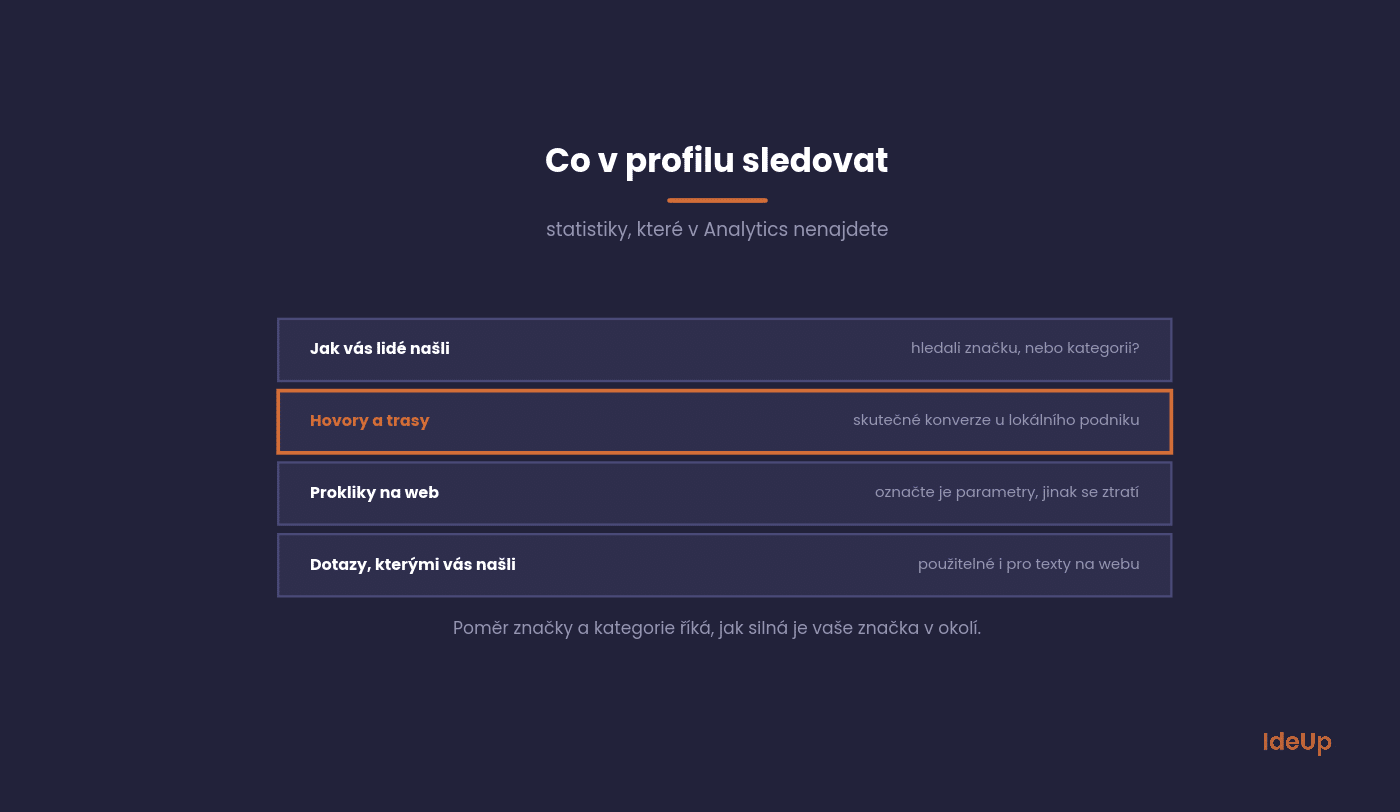
How people found you. A split between searches for your brand and searches for your category. The ratio shows how strong your brand is locally.
Calls and direction requests. Real conversions. For a tradesperson or a restaurant, this is the main result the profile delivers.
Clicks to your website. Connect them to Analytics using parameters, otherwise they get lost among other sources. We explain how in our article on Google Analytics 4.
Searches people used to find you. Shows how people talk about your service. Also useful for the copy on your website.
What to avoid
The following mistakes cost you map rankings, and sometimes the whole profile.
All of them are easy to avoid.
Keywords in the business name. Adding your industry to the name breaks the rules, and Google acts on it, including suspending the profile.
Fake address. An address where the business is not actually based is the fastest way to lose your profile.
Bought reviews. They get detected and damage the genuine ones too.
Profile without a manager. When nobody manages it, users and Google start filling in the information. Not always correctly.
Common questions about the profile
Five questions we hear most often from businesses with physical premises.
The answers apply in general.
How long does it take for changes to show
Profile edits usually take from a few days to two weeks. Expect improvements from reviews and mentions to take months.
Adding the category and photos shows results fastest.
Do we need a physical shop or office
No. Businesses that travel to their customers set a service area and keep their address hidden.
The condition is that the area matches where you actually travel.
What to do about a fake negative review
Reply factually and without emotion, because other people read your reply. At the same time, report it as a policy violation.
Google only removes reviews that break its terms, not ones you disagree with.
Should we have a profile for each location
Yes, each location should have its own profile with its own address and opening hours. And its own page on the website.
One profile for three locations means you only appear in one area.
Does the profile also help with better rankings in search
Not directly for organic rankings. It helps indirectly by raising brand awareness and increasing searches for your name.
For local searches, however, the profile decides on its own, because the map pack sits above the organic results.
Where to start with yours
Open your profile and check the primary category. If it is general, change it to the most precise one. It is a one-minute edit with the biggest impact on the whole list.
Then check when you last added a photo and when you last replied to a review. Both are usually longer ago than the business thinks.
If you are not sure what to get out of your profile first, we can go through it together in an SEO consulting session. It is usually an hour that produces a month’s worth of improvements.
Want to connect your profile to your website and the rest of your marketing? We handle local visibility as part of search engine optimisation. Get in touch via our contact page.
Frequently asked questions about the Google Business Profile
Is Google My Business the same as Google Business Profile?
Yes. Google My Business was the earlier name of the service, and Google later renamed it Google Business Profile. Your existing profile, reviews and photos stayed the same. Only the name and some of the management tools changed.
Is a Google Business Profile free?
Yes, creating and managing the profile costs nothing. You can add photos, posts and services and reply to reviews without paying. Paid advertising in the map is a separate product and is not required to have a profile.
How long does it take to verify a Google Business Profile?
It depends on the method Google offers you. Video, phone and email verification are usually faster than a postcard, which has to arrive by post. After you submit, Google may take extra time to review it, so keep your details unchanged while you wait.
What does Google Business Profile optimisation involve?
It means keeping the profile complete, accurate and active. In practice, you choose precise categories, keep opening hours current, add photos regularly, collect and reply to reviews and publish posts. None of it is a one-off task, so set a small monthly routine.