Most companies we discuss budgets with have an email database. And most of them use it by sending a newsletter with a promotion once a quarter.
Yet it is the only channel where you pay nobody for delivery. You already paid for the database when you first acquired those people.
This article explains how to make email your second most effective channel after search, which automations to set up first and what to avoid so that your list does not wither.
Why email is economically different from other channels
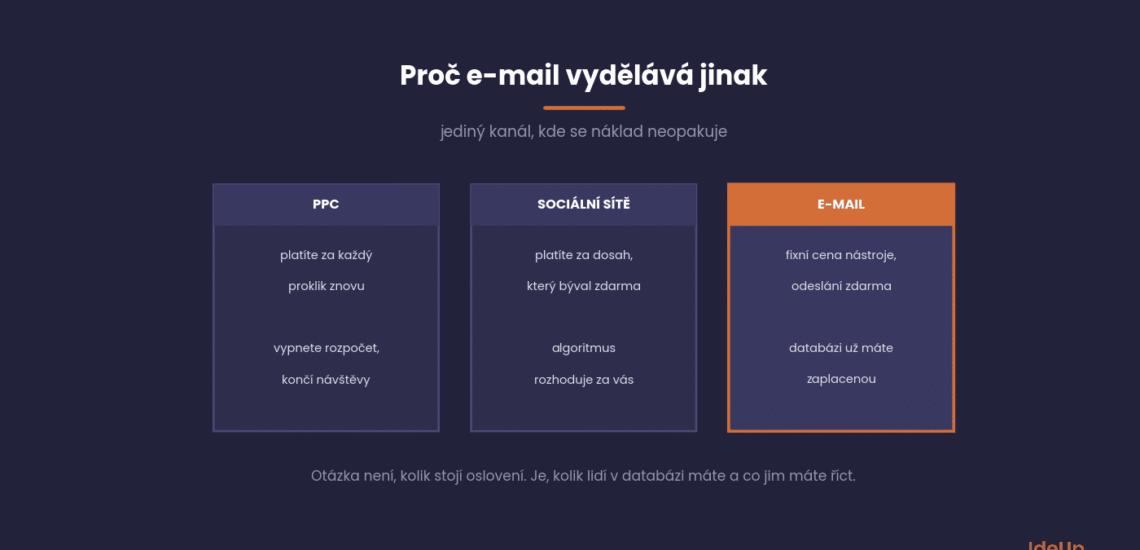
With PPC, you pay for every click again. With social media, you pay for reach you once had for free. With email, you pay a fixed amount for the tool and each extra send costs practically nothing.
This changes the whole way of thinking. The question is not how much it costs to reach people, but how many people are in the database and how often we have something to tell them.
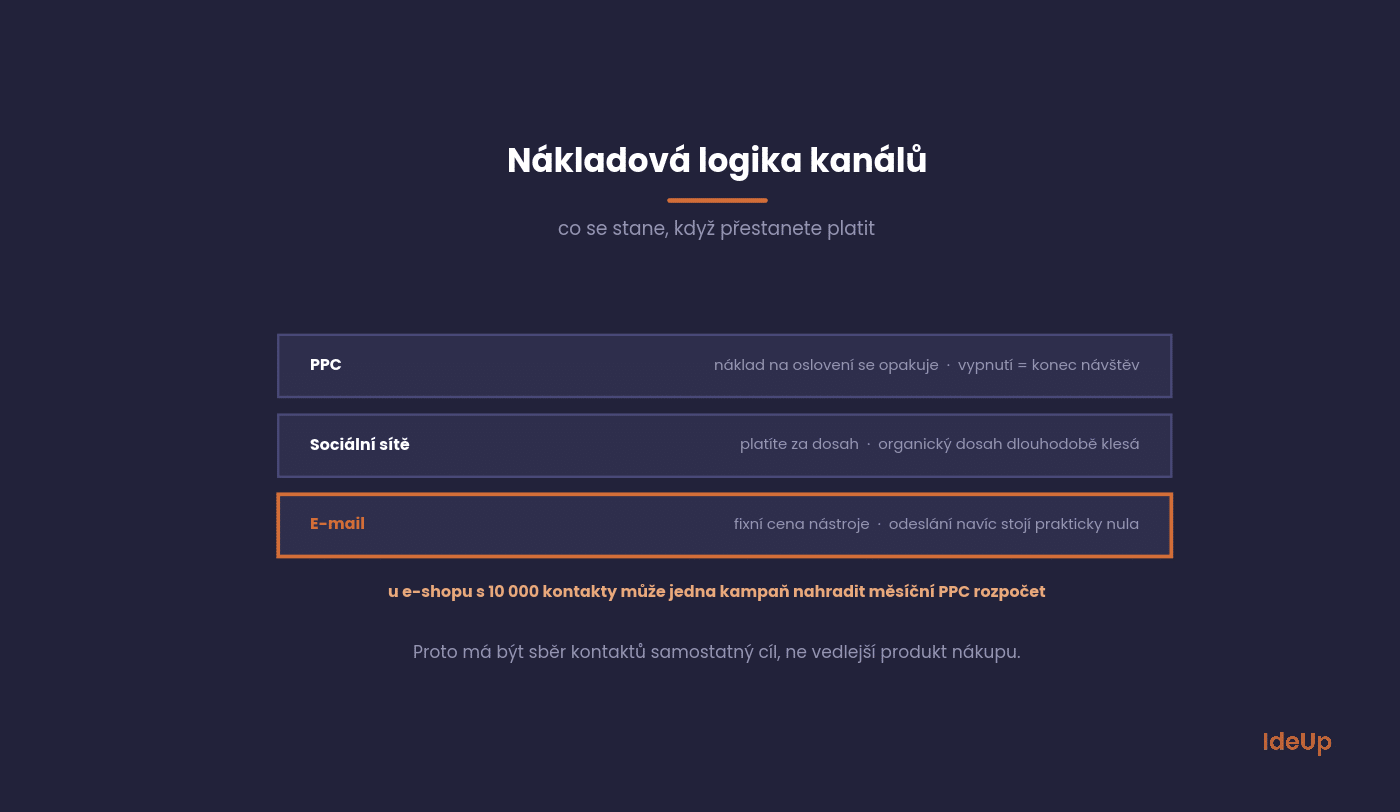
The practical consequence: for an online shop with ten thousand contacts, one well-timed campaign can bring revenue comparable to a monthly PPC budget. And again next month, with no additional cost for reach.
The second consequence is that collecting contacts should be a goal in its own right, not a by-product. Every visitor who leaves without buying and without leaving an email is lost for good.
What is email marketing and how does it work
Email marketing is using email to communicate with people who have given you permission to contact them. The aim is to build a relationship with them and lead them to a purchase or another action. It covers newsletters, one-off campaigns, automated sequences and transactional messages such as order confirmations.
It works as a simple loop. You collect addresses with consent and store them in an email tool. You divide them into groups based on what you know about them and send each group messages that suit it. Then you look at what people did after they clicked, and the results tell you what to send next.
The main difference from other channels is ownership. A social network can change who sees your posts overnight, and an ad platform can raise its prices. Your contact list stays yours, and you decide when and how you use it.
Five automations that earn money on their own
Campaigns are one-off work. Automations are set up once and keep sending for years. That is exactly why you should start with them, not with a newsletter.
For most online shops, the following five account for the vast majority of email revenue.
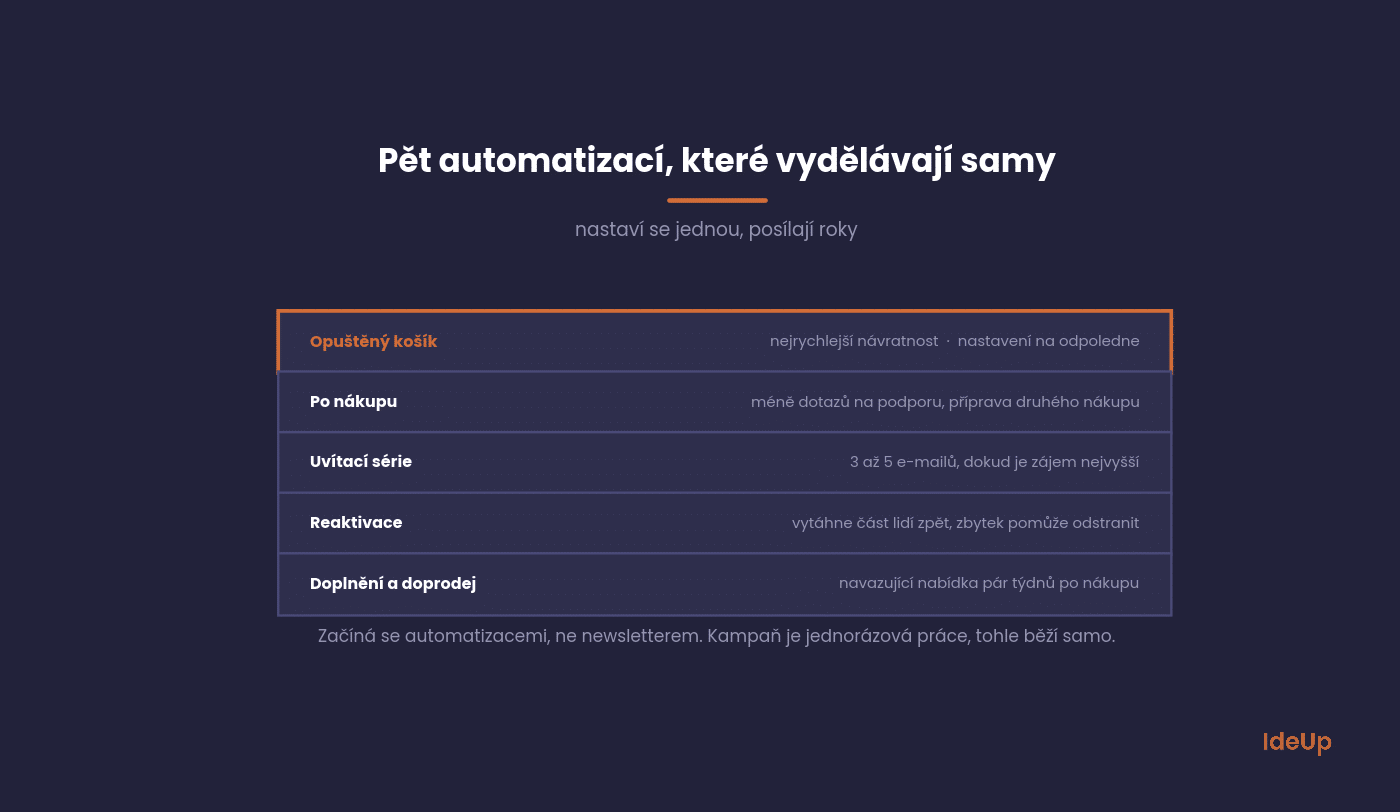
Abandoned cart
Someone added products to their cart and did not complete the order. One email after an hour, a second after a day, and possibly a third after three days with a discount.
This is the fastest-returning thing you can set up in marketing. You are reaching people who have almost made their decision, and it only costs the time to set it up.
After purchase
A thank-you, information on using the product and, after a suitable period, a request for a review. For consumables, a reminder when supplies are about to run out.
This sequence does two things at once: it reduces the number of support enquiries and prepares the ground for a second purchase, which is always cheaper than the first.
Welcome series
A new contact is most active in the first few days. Three to five emails that introduce the brand, show your best-selling products and explain why people should buy from you.
Do not turn it into a discount code followed by silence. The welcome series is the only moment when people genuinely want to learn something about you.
Reactivation
A contact who has not opened anything for six months is not lost yet. Two emails with a clear question about whether they are still interested will bring some people back and help you remove the rest from the list.
Cleaning is just as important as reaching out. Inactive contacts reduce deliverability for everyone else.
Cross-selling and upselling
An offer of related products a few weeks after purchase. For services, the same thing in the form of an offer for the next step.
It works when the offer is genuinely related. Offering customers the same thing they have just bought is the quickest route to an unsubscribe.
How automated email marketing works in practice
Automation in email marketing means a message goes out because of something a person did or did not do, not because you pressed send. Every automation has three parts.
- Trigger. The event that starts it, such as a sign-up, an abandoned cart or a long period without a purchase.
- Conditions. Rules that decide who continues. For example, you exclude people who have already bought.
- Actions. The emails themselves, the delays between them and any change of tag or segment.
The most common mistake is forgetting the exit condition. Someone who completes an order should stop receiving abandoned cart reminders straight away. Test every automation with your own address before you switch it on. Then review the content at least once a year so that prices, products and links stay current.
How to collect contacts that are actually useful
A footer form saying “subscribe to our news” collects nothing. People do not want news, they want a specific benefit.
What matters is what you offer in exchange for an email and where you ask the visitor.
Offer something specific. A guide, a comparison table, a stock availability alert, a discount on the first purchase. Anything that can be described in one sentence.
Ask at the right moment. Not immediately on arrival, but after the second or third page view, or when leaving the cart.
Ask for minimal information. An email address is enough. Every additional field reduces the number of submissions, and you can add the name later anyway.
Say what will happen next. How often you will write and about what. This reduces the number of unsubscribes right after the first email.
What to measure
Open rate is a metric that has lost its meaning. Privacy protection in email clients reports some opens falsely and does not report others at all.
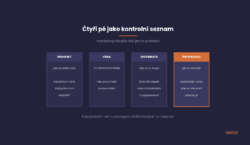
There are four things worth tracking, all of which are counted only after the click.
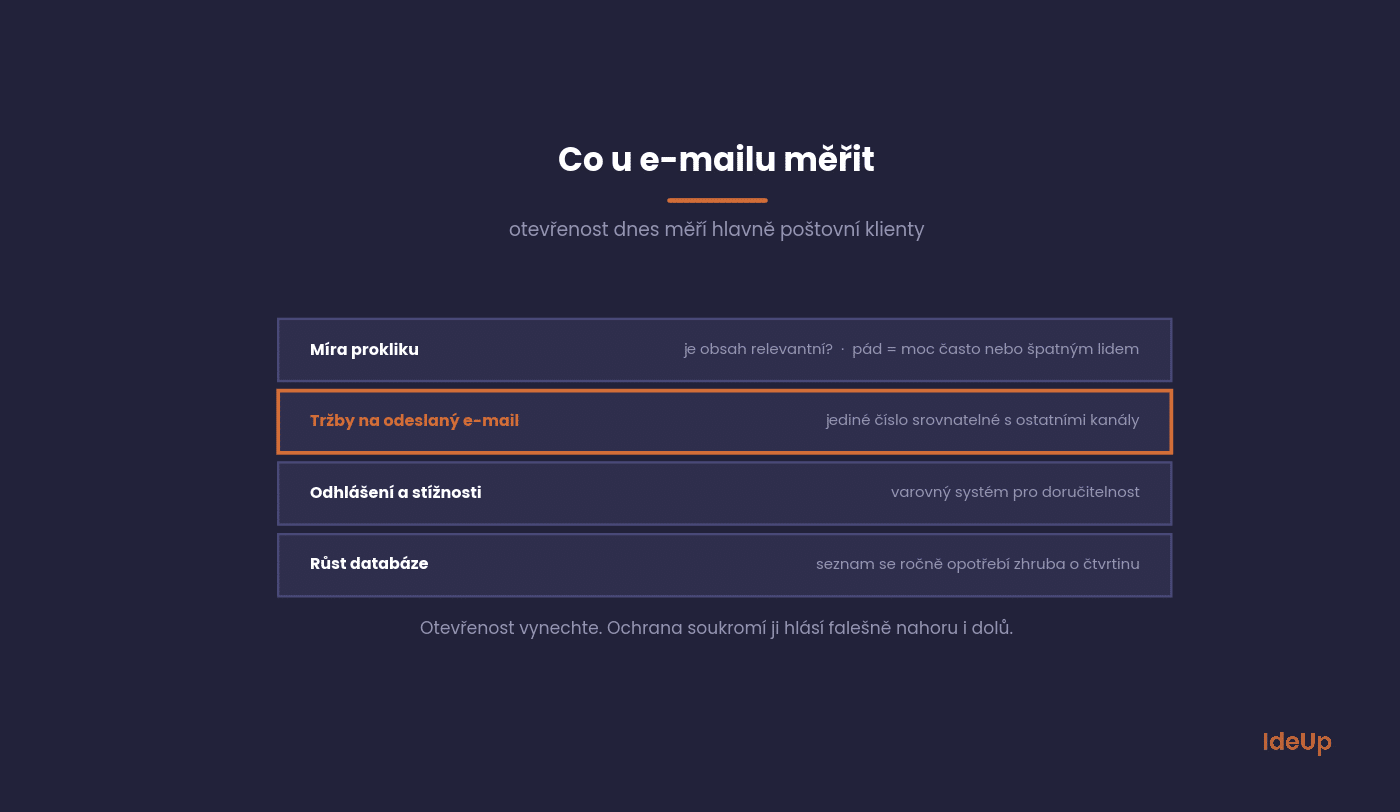
Click-through rate tells you whether the content is relevant. Is it falling? Either you are sending too often or to the wrong people.
Revenue per email sent is the only number that can be compared with other channels. Track it over time, not in absolute terms.
Unsubscribe and complaint rate is an early warning system. When it rises, you are damaging your future deliverability.
Database growth after subtracting unsubscribes. A list that does not grow naturally wears down by roughly a quarter every year.
Mailchimp regularly publishes industry benchmarks on this, which are useful as a rough guide. Treat them only as an orientation, though, because Czech segments differ from American ones.
How to build an email marketing strategy step by step
A strategy answers four questions: who you write to, why, how often, and how you know it works. You can put it together in five steps.
- Define the goal. More repeat purchases, more enquiries and fewer support questions each lead to different emails.
- Map your contacts. At a minimum, divide them into customers, prospects and inactive contacts. Note where each group came from.
- Plan automations first, campaigns second. Automations cover the moments that repeat. Campaigns cover news and seasons.
- Set a realistic rhythm. Choose a frequency you can keep up with useful content for a whole year.
- Pick one main metric per goal. Review it every month alongside the metrics above.
Write the strategy down on one page. If a new team member cannot understand from it what gets sent and why, it is too complicated.
The deliverability that gets forgotten
The best campaign will not help if it ends up in spam. Deliverability is a technical matter that only needs to be solved once.
Three settings are mandatory today, and without them the major email providers will reject your mail or place it outside the main inbox.
SPF, DKIM and DMARC verify that the email really comes from you. They are set up in the domain’s DNS, and a website administrator can do it in an hour.
The other half is behaviour. Send only to people who asked for it, make unsubscribing a single click and remove inactive contacts after a while, even if it hurts.
What to avoid
We see the following mistakes again and again, and they all have the same consequence: the database withers faster than it grows.
Yet they can be fixed with a decision, not with work.
Purchased databases. Not only do they not work, they will also destroy your deliverability for contacts you acquired honestly.
One email for everyone. Segmentation by behaviour is the cheapest way to boost performance. Simply distinguishing buyers from non-buyers is enough.
Sending only when there is a promotion. Your database will associate you with discounts and will stop opening without one.
Ignoring mobile. Most emails are opened on a phone. A two-column template does not work there.
Common questions about email
The five questions we hear most often from online shops and service companies.
The answers apply in general, but specific numbers vary by industry.
How often should I send?
For an online shop, once a week to once every two weeks. For B2B services, once a month. What matters, though, is whether you have something to say, not the calendar.
Watch the unsubscribe rate. If it jumps after you increase frequency, you have your answer.
How many contacts are enough to start?
Automations make sense from the first few hundred contacts because they run on their own. Bulk campaigns pay off from the low thousands.
More important than size is how the contacts were acquired. A thousand people who signed up themselves will beat ten thousand purchased ones.
Which tool should I choose?
On the Czech market, Ecomail and SmartEmailing have proven themselves, and among international tools, Mailchimp or Klaviyo for larger online shops. What matters is the integration with your system.
Do not start by choosing a tool. Start with which automations you want, and choose accordingly.
Does email work in B2B too?
It does, just differently. Instead of promotions, you send content that helps with decision-making, and the cycle is longer. It ties in with B2B marketing as a whole.
The key is to separate the newsletter from sales outreach. The latter has different rules and different expectations.
What about GDPR?
You need demonstrable consent and the option to unsubscribe at any time. For existing customers, there is an exception for similar products, but even there unsubscribing must be easy.
A practical rule: if you are not sure whether the person gave you consent, do not email them.
Where to start in your company
Find out how many contacts you have and when you last wrote to them. If the answers are “I don’t know” and “six months ago”, you have your brief.
The first task is the abandoned cart, because it can be set up in an afternoon and starts earning immediately. The second is the welcome series.
Want to build it from the start so that it ties in with the rest of your marketing? Take a look at our services or get in touch via our contact page.
Frequently asked questions about email marketing
What is email marketing?
Email marketing is sending planned messages to people who have agreed to hear from you. The goal is to build trust and generate sales or enquiries. It includes newsletters, campaigns and automated sequences, and unlike paid channels, you own the contact list.
Why is email marketing important?
It lets you return to people who already know you without paying again for their attention. It supports repeat purchases, which tend to cost less than winning new customers. Because you own the list, you also depend less on changes made by advertising platforms or social networks.
How do you get an email list for marketing?
Build it yourself by offering something specific in exchange for an address, such as a guide, a discount on the first order or a stock alert. Collect addresses at checkout, at events and through contact forms, always with clear consent. Avoid buying lists, because they damage deliverability and often conflict with consent rules such as GDPR.
What is automation in email marketing?
It is a set of emails that are sent automatically when a person takes a certain action, such as signing up, leaving a cart or not buying for a while. You set the trigger, conditions and timing once, and the tool then handles each contact individually. This lets even a small team send timely, relevant messages without manual work.