When we start a new project at IdeUp, the first thing we ask the client for is not access to the website’s admin panel. It is access to Google Search Console.
The reason is simple. Every other tool estimates rankings and search volume. Search Console is the only one that shows what actually happened.
This text is not a sign-up guide; you will find that on Google. It is a walk through the seven places where real decisions are made, and a description of what a consultant looks for in each of them.
Why it is the starting point for almost all SEO work
Search Console is the only place where Google tells you something about your website directly. Not an estimate, not a model, but a record of how many times the site appeared and how many times someone clicked on it.
Paid tools are better at one thing: they see outwards, towards the competition. They see inwards less well than this free tool.
The practical consequence for any consultant: without Search Console, you spend the first three weeks of a project arguing about data. With it, you know within an hour what the site lives on and where the untapped opportunities are.
That is why we treat it as a starting point, just like an SEO website audit. Without it, the audit is done blind.
What is Google Search Console and what does it do
Google Search Console is a free service from Google. It shows how your website appears in Google’s results and whether Google can reach and read its pages. Until 2015 it was called Google Webmaster Tools.
It works with data that Google collects itself. Once you prove that you own or manage the site, Google starts to show you the record it keeps about that site.
How you set it up
- Add a property. A domain property covers all subdomains and both the http and https versions. A URL-prefix property covers only one exact address.
- Verify ownership. For a domain property, you add a DNS record. For a URL-prefix property, you can also upload an HTML file, add a meta tag or use an existing Google Analytics or Google Tag Manager account.
- Submit a sitemap. This gives Google a list of the pages you want it to know about.
What it does day to day
The tool also sends email alerts when Google finds new indexing errors, security issues or a manual action against the site. You can ask Google to index a single URL, and you can use the Removals tool to hide a page from the results temporarily.
Seven places where decisions are made
The interface has dozens of screens, and most of them will never be of any use to you. We open the following seven on every project.
The order is not random. It goes from what brings in money to what holds it back.
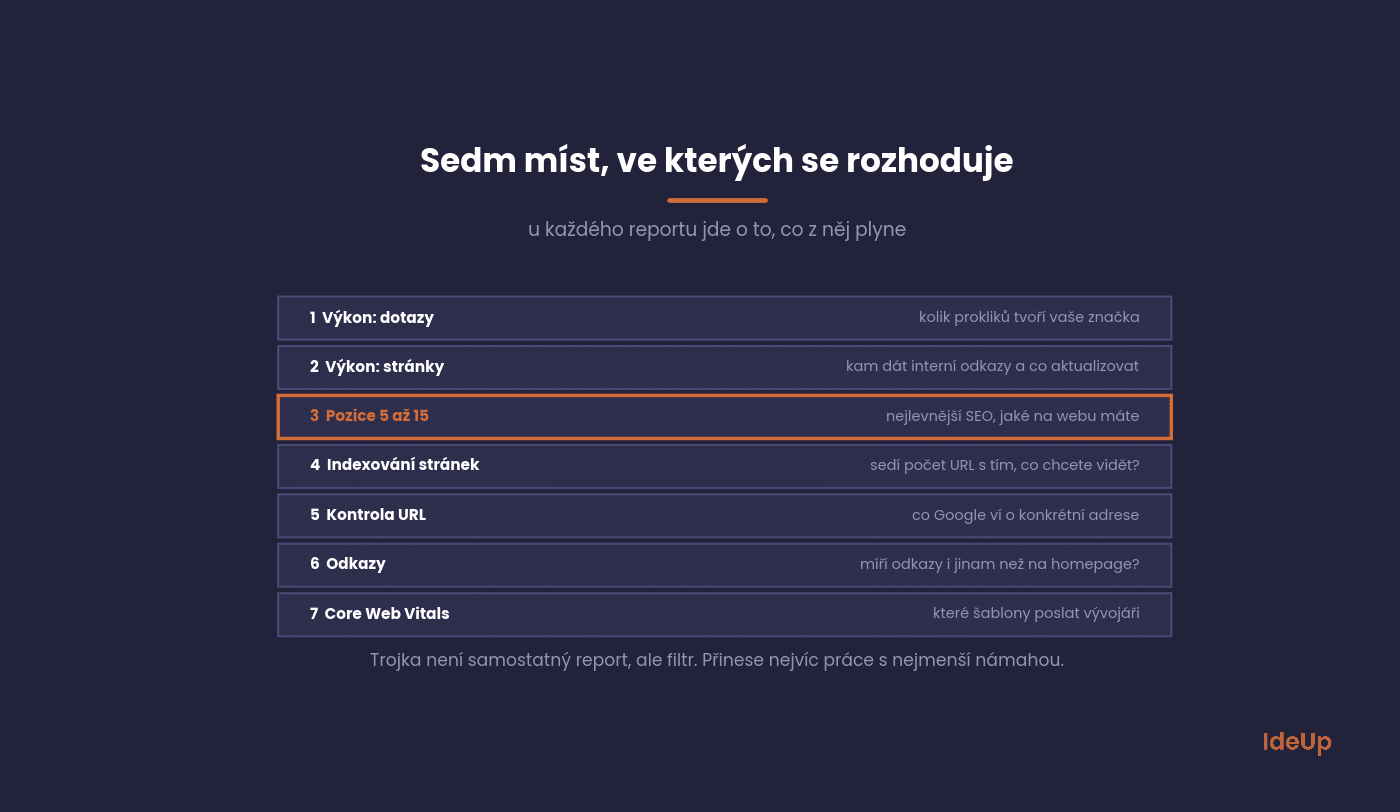
1. Performance by query
Shows which queries the site appears for and how many clicks they bring. Set the period to the last twelve months, not three.
You are looking for two things here: whether most clicks come from your own brand, and whether there are topics among the queries that you did not know people used to find you.
2. Performance by page
The same data, just by URL. It almost always surprises the client, because the top spots tend to go to pages nobody in the company talks about.
The decision that follows: where to place internal links, and which pages are worth updating before writing new ones.
3. Opportunities within reach
This is not a separate report but a filter. In queries, set the average position to between 5 and 15 and sort by impressions.
This is the cheapest SEO there is. Adjusting the title or adding a paragraph on these pages will bring more than a new article starting from zero.
4. Page indexing
How many URLs Google knows about, how many it has indexed and why it left out the rest. For e-shops, this is the most important screen of all.
Compare the number of indexed URLs with the number of pages you want to be visible. If the numbers do not match, you have your first task, and you do not need to pay anyone for it.
5. URL Inspection
The only place where you can find out what Google knows about a specific URL: whether it is in the index, when it was last crawled and which version Google considers the main one.
It is used every time someone claims that “the page is not being indexed”. In nine cases out of ten, the reason is visible here.
6. Links
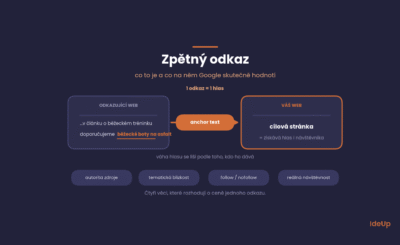
Top linking domains, most linked pages and anchor texts. The data is sampled and incomplete, but it is not a third-party estimate.
For link building decisions, the column with linked pages is more interesting than the total count. It shows whether links point anywhere other than the homepage.
7. Core Web Vitals and usability
Speed and stability measured on real visits, not in a lab. Focus mainly on the mobile tab.
The decision here is usually which page templates to send to the developer. It is not about the site as a whole, but about specific page types.
What is easy to miss in Search Console
Search Console data has several characteristics that lead to wrong conclusions. It is worth knowing them before you turn the numbers into decisions.
These are the four most common traps people fall into.

Average position is an average. It mixes mobile with desktop and all locations together. If you want to use it for decisions, filter it.
The rows do not add up to the total. Google hides rare queries for privacy reasons. The sum of queries therefore never matches the overall figures.
Data takes two to three days to be finalised. Never use the last two days as a trend.
History ends after sixteen months. Year-on-year comparison is possible, two-year comparison is not. If you want a longer series, export the data yourself regularly.
How to make it a routine
Most companies open Search Console when something goes wrong. That is the worst possible moment, because you have nothing to compare with.
A short, regular rhythm that takes a quarter of an hour a month is more useful.
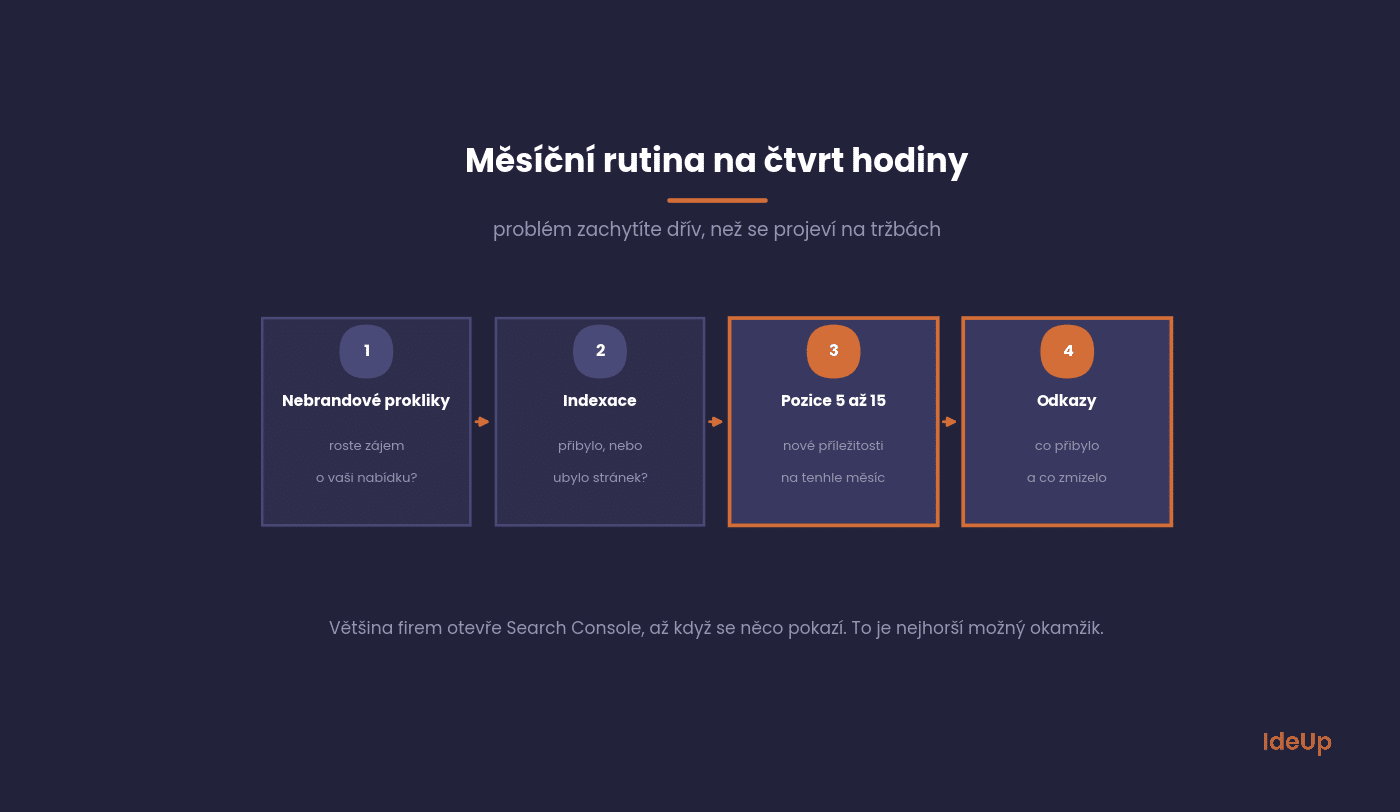
Once a month, go through four things: the trend in clicks on non-branded queries, changes in indexing, new opportunities in positions 5 to 15, and newly gained or lost links.
If you report upwards, connect Search Console to Looker Studio. It saves you manual exports, and the report updates itself.
For basic orientation in the tool, Google has published its own guide. It is the quickest resource for setting up and verifying a site, but working with the data is something you have to piece together yourself.
How to run a Google Search Console audit
The monthly routine catches changes. An audit is a deeper check that you do once, for example when you take over a site, after a redesign or when traffic drops for no obvious reason. Plan an afternoon for it.
- Check access and settings. Confirm who has owner rights and remove former employees and agencies. Make sure the property covers all versions of the domain.
- Review sitemaps. The submitted sitemap should load without errors. It should list only the pages you want indexed, not redirects or deleted URLs.
- Go through the indexing reasons. For each reason in the Page indexing report, decide whether it is intended or a mistake. A noindex tag on filter pages may be intended. The same tag on product pages is a mistake.
- Check manual actions and security issues. Both reports should be empty. If they are not, fix that before anything else.
- Compare periods fairly. In Performance, compare the last three months with the same months a year earlier, so that seasonality does not mislead you.
- Look at internal links. The Links report also lists internal links. If an important page has few internal links pointing to it, that is an easy fix.
- Write down the findings. Turn each problem into a task with a named owner. Otherwise the audit ends up as a document nobody opens.
What Search Console cannot do
To keep this overview balanced, it is good to know where the tool ends. Many decisions cannot be made with it.
For these, you need something else, usually paid tools or Analytics.
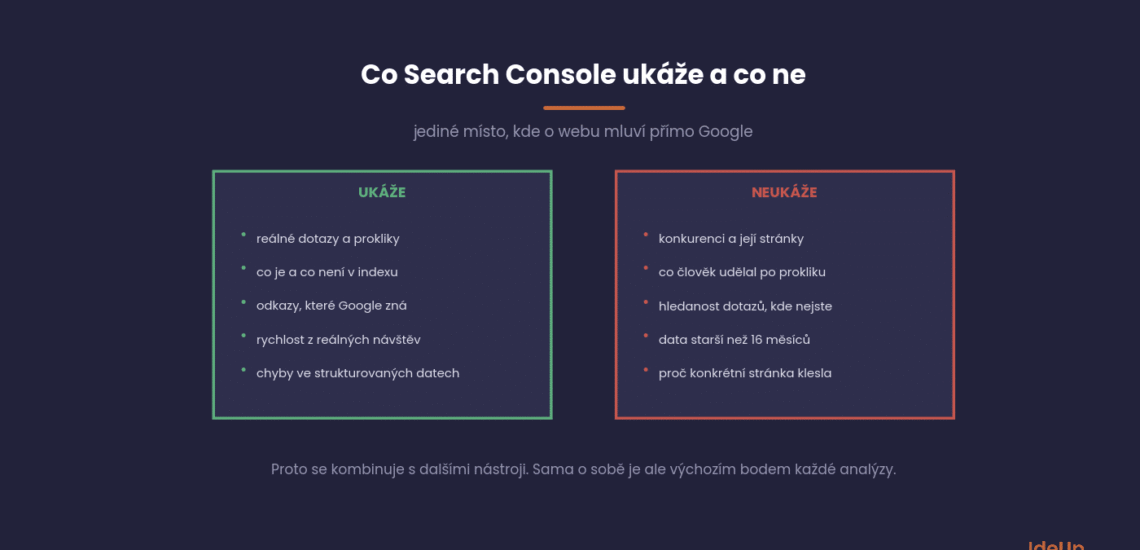
It will not show you the competition or how their pages are performing. It will not tell you what a visitor did on the site after clicking. And it will not estimate search volume for queries you do not yet appear for.
That is exactly why it is combined with other tools. Which tool is for what is covered in our overview of SEO tools.
Google Search Console vs Google Analytics
People often confuse the two tools, because both come from Google and both are free. They answer different questions.
- Search Console covers what happens before the visit. It shows impressions, clicks, average position, indexing and technical health.
- Analytics covers what happens after the visit. It shows which pages people view, how long they stay and whether they buy, sign up or get in touch.
- The scope differs. Search Console sees only traffic from Google’s results. Analytics sees every channel, including email, social networks, ads and direct visits.
You get the most from them when you link them. In Analytics, you can connect a Search Console property. You then see queries and landing pages next to engagement and conversion data in one place.
Questions about the tool
The five questions we get most often, mainly from people who manage their own websites.
For most of them, the answer is shorter than they expect.
Is Google Search Console free?
Yes, the whole tool and all the data. All you need is a Google account and the ability to verify ownership of the site.
There is no paid version with more data either. The limits are the same for a small blog and a large e-shop.
How long does it take for data to appear?
You will see the first data two to three days after verification. Search Console does not backfill history, so the sooner you set it up, the better.
That is why you should set it up even on a website you are still building. Once you launch it, you will have something to compare with.
Will Search Console affect my rankings?
No. It is a measurement and diagnostic tool, not an optimisation tool. Rankings only change through what you do based on the data.
Its only indirect influence is that it helps you find and fix problems you would otherwise not know about.
Why do my numbers not match Analytics?
Because they measure different things. Search Console counts clicks from search, Analytics counts visits to the website. A difference of 10 to 20% is normal.
Tracking consent and ad blockers also play a role. Search Console is more reliable in this respect, because it measures on Google’s side.
Should I also use Seznam Webmaster?
If Seznam (the Czech search engine) is a relevant source of traffic for you, yes. The data is more limited, but you will see indexing and errors.
For e-shops and local services, Seznam’s share tends to be higher than companies expect. Check in Analytics how much traffic it actually brings you.
Where to start on your site
Open Performance, switch to twelve months and see how many of the clicks come from your brand. That number tells you more than the whole report.
Then filter queries in positions 5 to 15, and you have a task list for next month.
If this raises more questions than answers, we can go through it together. Working with Search Console is part of our search engine optimisation service as well as our one-off consulting.
Frequently asked questions about Google Search Console
How do I start using Google Search Console?
Sign in with a Google account, add your site as a property and verify ownership. Then submit a sitemap. The first data appears after a few days, and you can begin with the Performance and Page indexing reports.
Can Google Search Console show where I rank for a specific query?
Yes. In Performance, filter by a query and turn on the average position column, and you will see how your position changes over time. Keep in mind that the figure is an average across devices and locations. If you need daily positions compared with competitors, you need a paid rank tracker.
What does the links report in Google Search Console show?
It has two parts. The external part lists the sites that link to you most, your most linked pages and the most common link text. The internal part shows which of your pages receive the most links from elsewhere on your own site.
Do I need Google Search Console if I already use Google Analytics?
Yes. Analytics cannot show impressions, average position or whether Google has indexed your pages. Search Console fills that gap, and linking the two gives you the full path from the first impression to a conversion.