A company usually starts asking about a CRM at the same moment: a salesperson leaves and takes half the information about open deals with them.
The usual reaction is to buy a system. But a CRM that nobody updates is just a more expensive version of the original problem.
This article explains when a spreadsheet really is enough, how to tell it is time for a system, and what to do so that people actually use it.
What a CRM solves and what it does not
A CRM is a company’s shared memory of its customers and deals: who spoke to whom, what was agreed and what should happen next.
It does not fix a lack of enquiries. Nor does it fix salespeople who do not make calls. It only fixes customer information living in people’s heads and personal inboxes.

In practice, this means the order matters. First you need enquiries and a process for handling them. Only then does it make sense to record them in a system.
We cover where to find enquiries in a small market in our article on B2B lead generation. Without them, a CRM is an empty database.
What a CRM system is and how it works
CRM stands for customer relationship management. A CRM system is software that keeps every contact, company and deal in one place and links them to the communication around them.
The principle is simple. Each customer has a record. Emails, calls, meetings and notes are attached to that record, either automatically or by hand. Deals move through stages you define, such as new enquiry, offer sent and closed. The system then shows you the whole picture and reminds you what needs to happen next.
Examples of CRM systems
Systems differ mainly in who they are built for.
- Pipedrive is built around a visual sales pipeline and suits small sales teams.
- HubSpot combines a CRM with marketing tools and offers a free basic version.
- Salesforce is designed for larger companies with complex processes and many integrations.
- Zoho CRM covers a wide range of functions and is often chosen by companies already using other Zoho tools.
Many invoicing and accounting tools also include a simple contact database. That can be enough at the start, but it rarely tracks deals in progress.
When a spreadsheet is enough
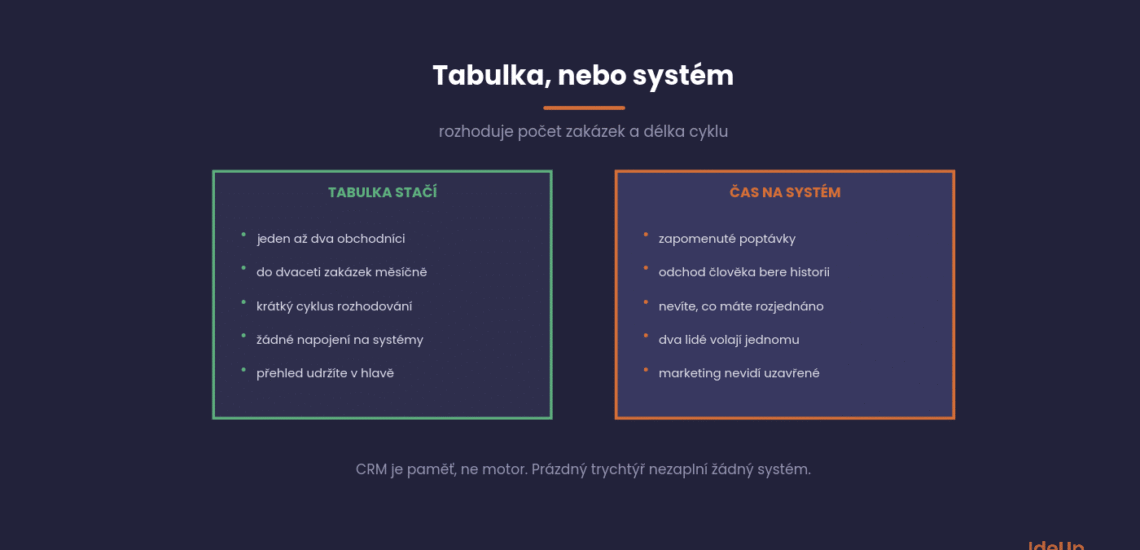
A shared spreadsheet is a legitimate tool, and for many companies it is the right choice. There is no point abandoning it too early.
It will do the job if the following applies.
You have one or two salespeople. You can pass information on by talking.
You have up to twenty deals a month. You can keep track even without a system.
The sales cycle is short. When decisions are made within a week, there is nothing to track over the long term.
You do not need integrations. No invoicing, no automation, no reports for investors.
A spreadsheet does have a ceiling, though, and you can recognise it. When nobody can find their way around it, when two people overwrite it at the same time, or when the history of communication cannot be traced, the time has come.
How to tell it is time for a system
The signals are concrete and usually appear before the company reacts.
If three or more apply, there is no point putting it off.
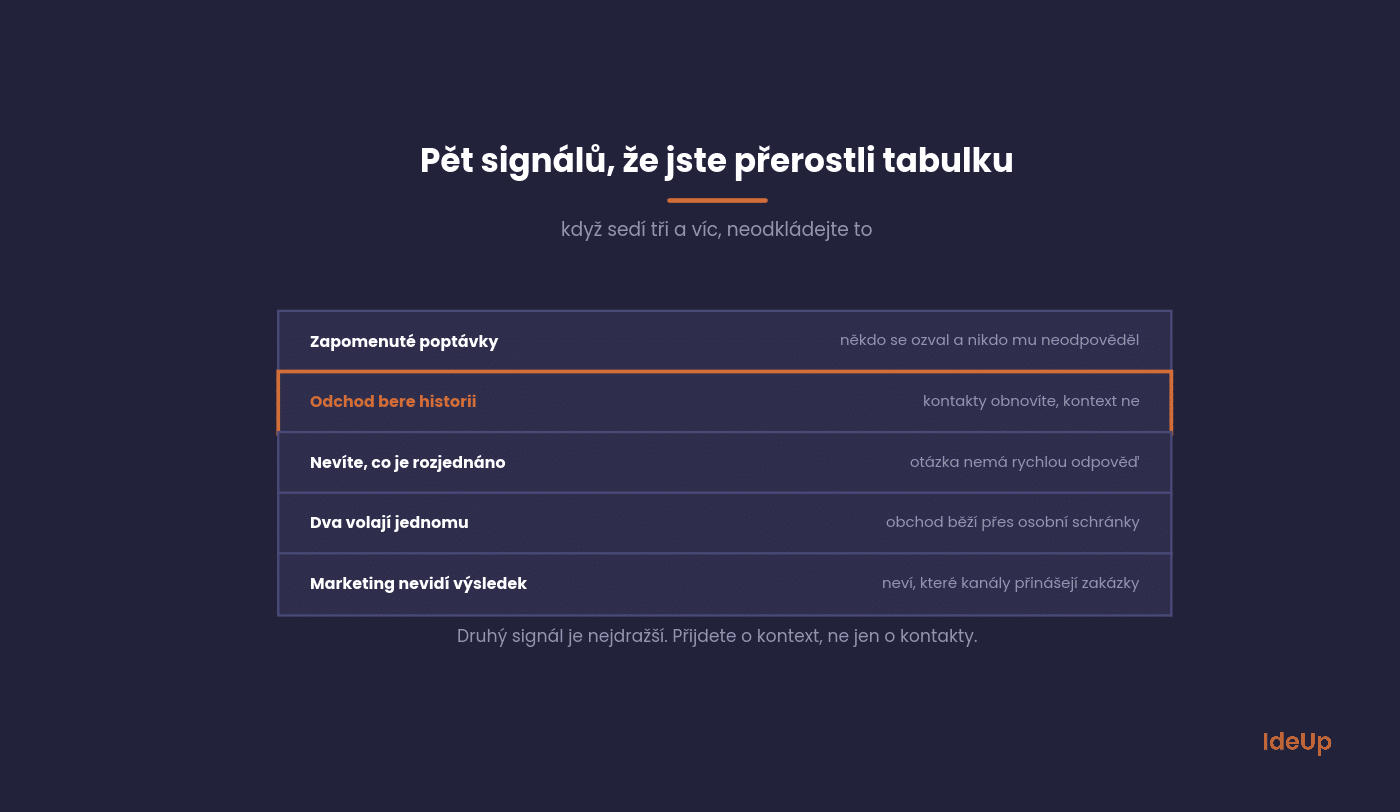
Forgotten enquiries. Someone got in touch and nobody got back to them. If this happens more than once a quarter, you have a problem.
The most common cause is a form that sends enquiries to a single inbox. Connecting forms to a system is one of the things we handle when building websites.
When someone leaves, the history goes with them. The most expensive signal. Contacts can be recovered, context cannot.
You do not know how much is in progress. The question “how much do we have in the pipeline?” has no quick answer.
Two people call the same customer. A classic in companies where sales run through personal inboxes.
Marketing cannot see what has been closed. Without feedback, it has no way of knowing which channels bring in deals.
How to choose
The market is crowded and most systems do the same things. The difference is how quickly people adopt them.
Choose based on four criteria, in this order.
Ease of data entry. If adding a contact takes three minutes, nobody will do it. This is the most important criterion and the one most often skipped.
Email and calendar integration. Communication should get into the system on its own, not by being retyped.
An overview of deals. A simple view of what is at which stage and how long it has been there.
Data export. You must be able to leave and take your data with you. A system you cannot export from is a trap.
On the Czech market, usable systems start at roughly a few hundred CZK per user per month. Price is usually not the deciding factor.
CRM system features worth paying for
Most systems list dozens of functions. For a smaller company, a handful do the real work.
- Contact and company records with the full communication history.
- A pipeline view showing deals by stage.
- Tasks and reminders, so follow-ups are not forgotten.
- Email and calendar sync.
- Web form capture, so enquiries become records automatically.
- Basic reports on deals won, lost and in progress.
Advanced features such as sales forecasting, lead scoring or complex automation make sense once the basics are used consistently. Paying for them earlier means paying for screens nobody opens.
Why implementation most often fails
The system is bought and set up, and six months later two people out of five are using it. The cause is always one of three.
All of them can be addressed in advance.
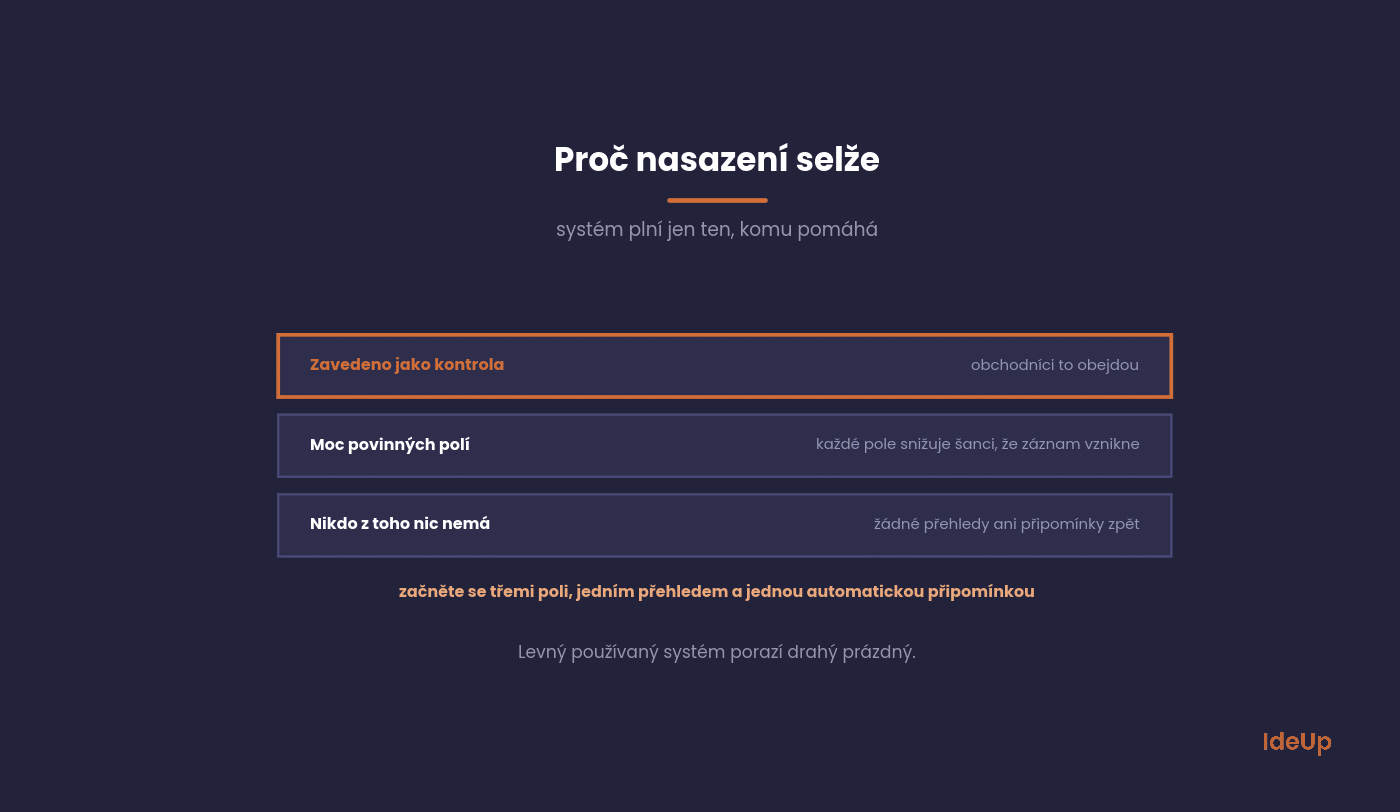
Introduced as a control tool. When a CRM is seen as a way for management to monitor salespeople, people work around it.
Too many mandatory fields. Every extra field reduces the chance that a record gets created at all.
Nobody gets anything out of it. If the CRM gives nothing back, meaning no overviews or reminders, it is just extra work.
The solution is to start minimal: three mandatory fields, one pipeline view and one automatic reminder. You can expand later.
A simple CRM system implementation plan
You can avoid the three failures above with a plan that fits on one page.
- Step 1, describe the process. Write down the stages a deal goes through in your company today, not the ideal version.
- Step 2, name an owner. One person is responsible for the system, answers questions and checks entries.
- Step 3, set the minimum. Agree on the mandatory fields and one pipeline. Leave everything else optional.
- Step 4, import live data. Active customers and open opportunities only.
- Step 5, connect email and forms. Records should be created without retyping.
- Step 6, train on real deals. A one-hour session using the team’s own opportunities works better than a generic demo.
- Step 7, review after six weeks. Look at what is filled in and what is not, and adjust the fields before adding new features.
The order matters. If you connect integrations before the process is clear, you automate confusion.
What marketing needs from a CRM
This is the part companies set up least often, yet it is key to allocating the budget.
Without it, marketing optimises for enquiries instead of deals.
The key is to record the source for every opportunity and complete it at the moment of closing. This shows you which channels bring in deals, not just contacts.
The difference is often surprising. The channel with the most enquiries is often not the one with the most closed deals.
If you add the deal value, you can calculate the return on each channel. We describe the logic of the calculation in our article on performance marketing.
Common questions about CRM
The five questions we get most often from smaller companies.
The answers apply to companies with up to roughly a hundred people.
How many salespeople make a CRM worthwhile
From two or three, but the number of deals and the length of the cycle matter more than headcount.
One salesperson with a hundred open opportunities needs a system. Three salespeople with a short cycle may not.
How long implementation takes
The basic setup takes days to weeks. Getting people to actually use it takes months.
Expect to need someone to monitor entries and send reminders for the first six weeks.
Should we migrate old data
Only live data. Migrating ten-year-old contacts means cluttering the new system with dead weight that nobody will use.
It makes sense to migrate active customers and open opportunities and leave the rest in an archive.
Do we need an expensive system
Most smaller companies do not. More expensive systems handle complex processes and integrations you do not have.
What matters is whether people will fill it in. A cheap system that is used beats an expensive one that is empty.
Will a CRM replace marketing automation
No, it solves a different problem. A CRM is a memory of deals, while automation sends messages.
Many systems can do both today, but roll them out gradually. Get record-keeping working first.
Where to start in your company
Ask your sales team how many opportunities you have open right now and what stage they are at. If the answer takes longer than a minute, you have your answer to whether you need a CRM.
Before you start choosing a system, write down the three fields you really need to track. A short list is the best protection against a system nobody fills in.
Want to connect sales and marketing so you can see what brings in deals? We specialise in B2B marketing, so get in touch via our contact page.
Frequently asked questions about CRM systems
What does a CRM system do?
It records your customers, deals and the communication around them in one shared place. It shows which deals are at which stage and reminds you of the next steps. The result is that information stays with the company, not with individual people.
How much does a CRM system cost?
Most systems charge per user per month, and many offer a free or entry-level plan. As an illustration, five users at $20 each would cost $100 a month. Add the time needed for setup and training, which is often the larger cost.
Is a CRM system worth it for a small business?
It is worth it once you have more open deals than you can track reliably, or once more than one person talks to the same customers. A small business benefits most from a simple system with few mandatory fields. If a shared spreadsheet still works, there is no need to rush.
What are the benefits of a CRM system?
You stop losing enquiries and customer history, and you can see how much is in your pipeline at any time. Sales and marketing work from the same data, so marketing can see which channels bring in closed deals. Handovers are easier when someone leaves or is away.